Contact Support
 Sign In
Using approver email addresses when obtaining a Domain Validated (DV) SSL Certificate involves confirming domain ownership. Domain validation plays a vital role in issuing SSL certificates as it guarantees that the request for the certificate comes from a legitimate domain owner. This process generally involves sending an approval email to designated generic administrative addresses linked to your domain.
TABLE OF CONTENTS
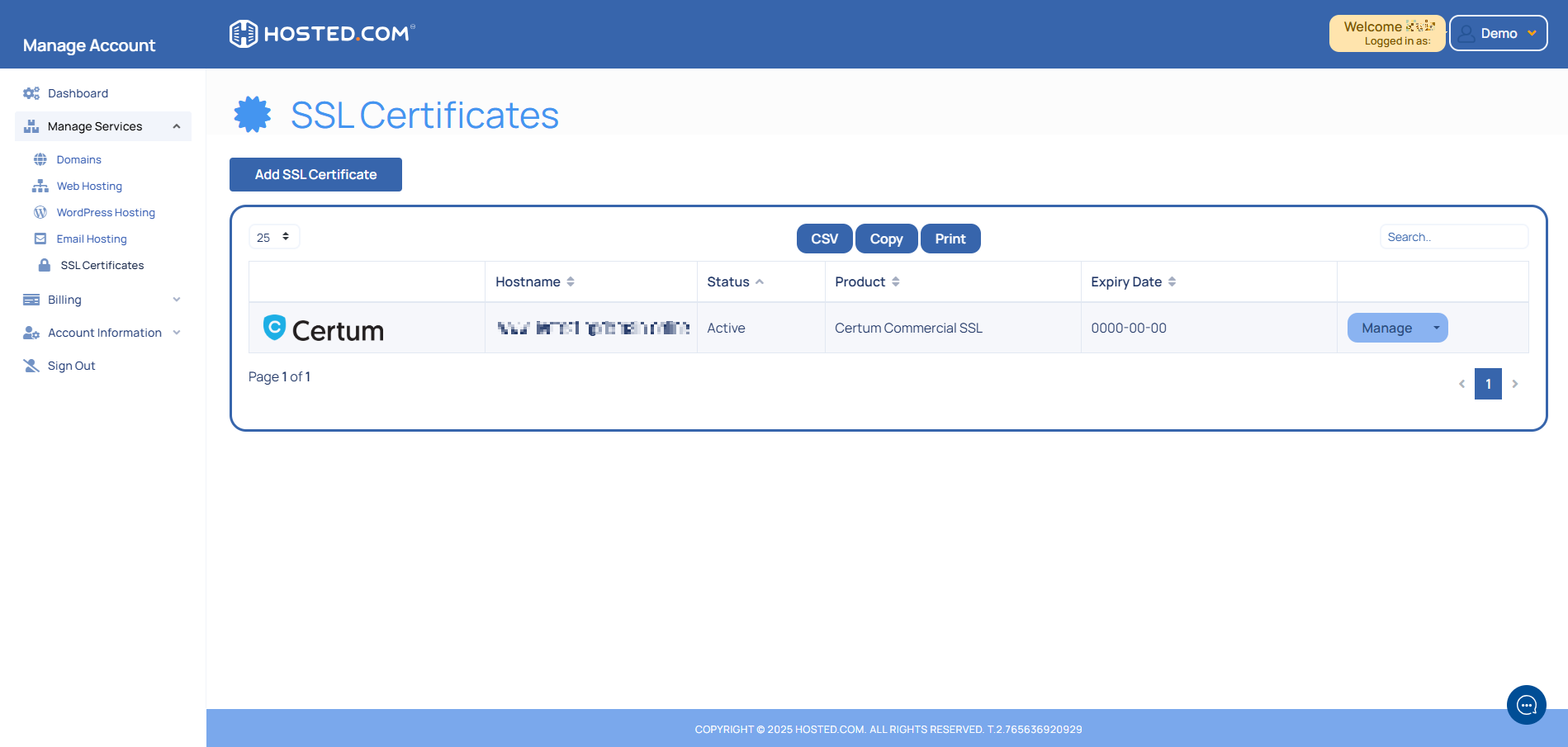
Choose Generic Approver Email Addresses
Using generic approver email addresses ensures that only authorized individuals with control over the domain can validate and receive SSL certificates. This method helps prevent unauthorized requests by requiring access to these specific addresses.
The following generic email addresses can be used for domain validation:
admin@your-domain-name.com
administrator@your-domain-name.com
hostmaster@your-domain-name.com
webmaster@your-domain-name.com
postmaster@your-domain-name.com
A request will be sent to the selected approver email address for approval. Follow the instructions in the email to confirm your domain name’s ownership and complete the validation process.
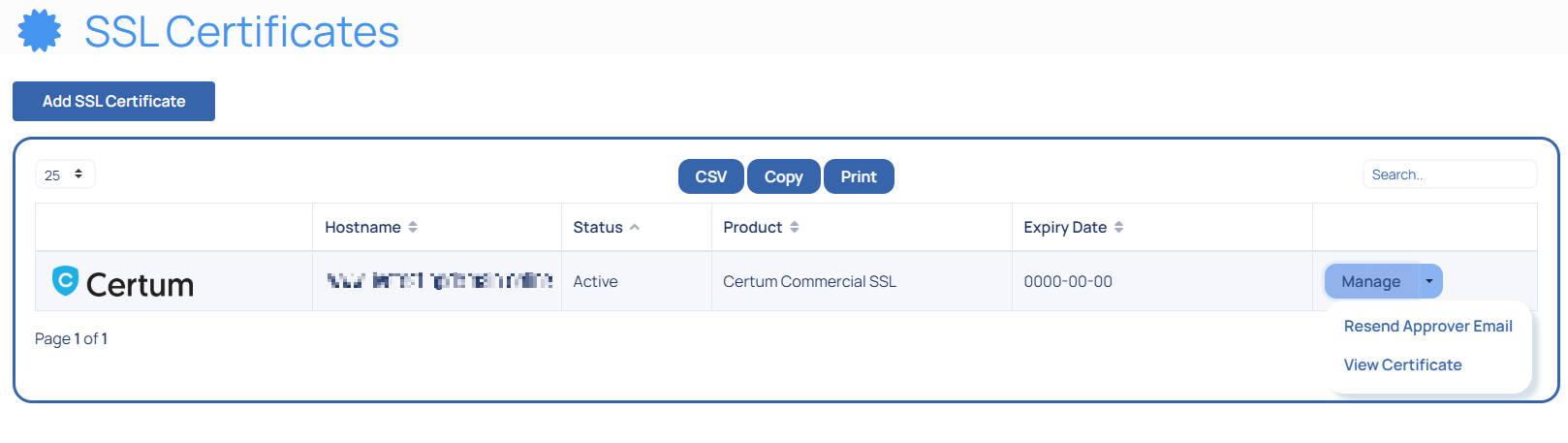
Validating Ownership
An approval request will be sent to the selected email address for approval. Follow the instructions in the received email to confirm ownership and complete validation.
Alternative Validation Methods
While generic approver email addresses are commonly used for domain validation, other methods such as DNS TXT record verification or HTTP file upload may also be available depending on your Certificate Authority (CA). These alternatives allow flexibility if you cannot access or prefer not to use generic approver email addresses.
Additional Information
What is SSL (Secure Sockets Layer)?
The SSL protocol encrypts data that is being transferred between a web browser and a web hosting server. SSL protects private data, including credit card numbers, login credentials, and personal information, while it’s being transmitted, making it difficult for hackers to intercept and read.
The industry standard for protecting online communications is TLS (Transport Layer Security), an upgraded version of SSL. Despite this, security certificates are still frequently called “SSL”.
What is a Domain Validated (DV) SSL?
Domain Validation (DV) SSL certificates provide essential encryption, ensuring that data transferred between a website and its visitors remains secure. They are the easiest and fastest type of SSL to obtain, as they require only a simple domain ownership verification, typically through an approver email confirmation or DNS record update.
DV SSL certificates are best suited for small websites, personal blogs, and informational pages where trust and authentication beyond basic encryption are not a primary concern.
Other Types of SSL Certificates
- Organization Validation (OV) SSL offers higher security by verifying the organization’s identity and displaying the company name in the certificate details, which helps build trust with users.
- Extended Validation (EV) SSL provides the highest level of authentication, displaying the company name in the browser’s address bar in some cases, making it best suited for financial institutions and high-trust businesses.
- Wildcard SSL secures a primary domain and all its subdomains, making it a cost-effective solution for businesses managing multiple subdomains under one main site.
- Multi-Domain SSL (SAN SSL) allows multiple domains to be protected under a single certificate, reducing management complexity for businesses operating several websites with different domain names.
How SSL Works
SSL encrypts the connection between a user’s browser and the website’s server. An SSL handshake occurs between the browser and the server when a user accesses a website with an SSL certificate. In the process, the server gives the browser a digital certificate with the server’s public key.
After confirming the certificate’s legitimacy, the browser creates a secure, encrypted connection using the public key. This helps guarantee that all information transmitted between the browser and the server is encrypted, making it unreadable to malicious third parties or hackers.
SSL functions with the HTTPS protocol, the secure variant of HTTP. SSL-enabled websites tell users the site is secure by displaying a padlock icon and the HTTPS prefix in the browser’s address bar.