Contact Support
 Sign In
This article will give you guidance on how to change your cPanel Language. cPanel allows you to customize the interface language to manage your hosting account in the language you are most comfortable with. Hosted.com® makes it easy to change the cPanel display language directly from your account.
TABLE OF CONTENTS
What is the cPanel Language Settings?
The cPanel language setting controls the language used in your cPanel dashboard. Changing the language only affects your personal cPanel interface; it does not affect your website or your visitors.
Common reasons to change the cPanel language include:
- Making the interface easier to understand.
- Allowing international team members to manage hosting in their preferred language.
- Simplifying training or support for non-English speakers.
How to Change cPanel Language
1. Login to your Hosted.com® account.
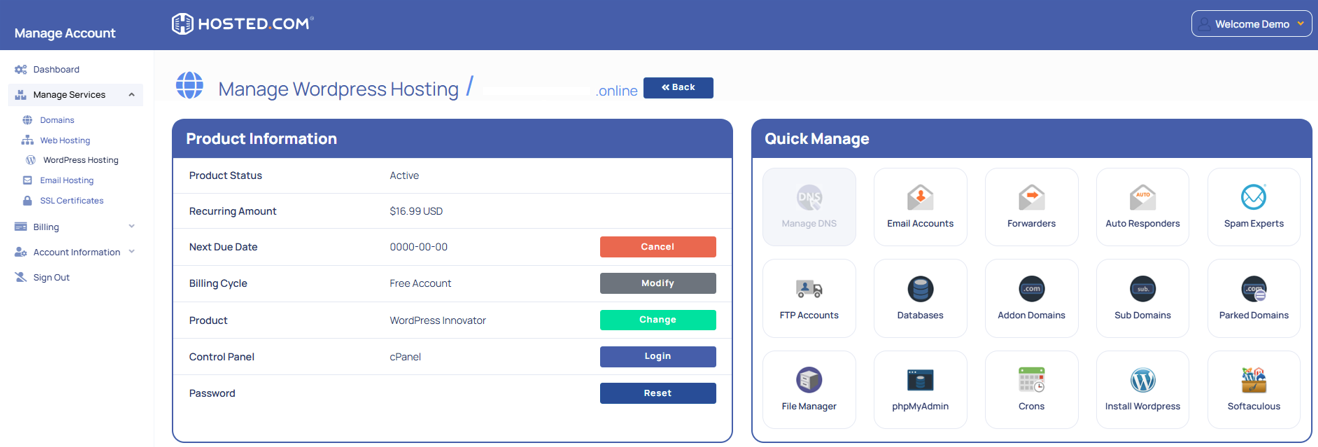
2. Navigate to your web hosting plan from the Manage Services menu.
3. Click Manage next to the hosting plan associated with your domain.
4. Click Login next to Control Panel to open cPanel.
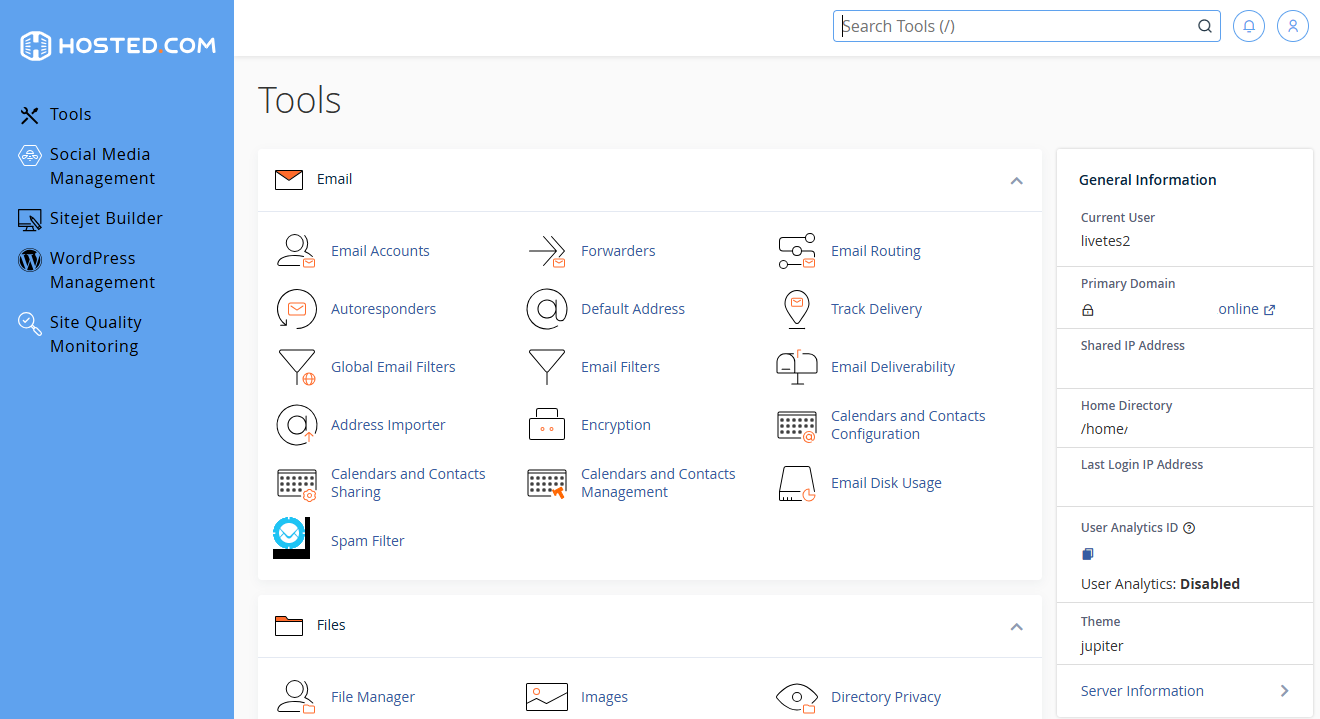
5. In cPanel, on the Profile Icon select Change Language
6. Select your desired language from the dropdown list.
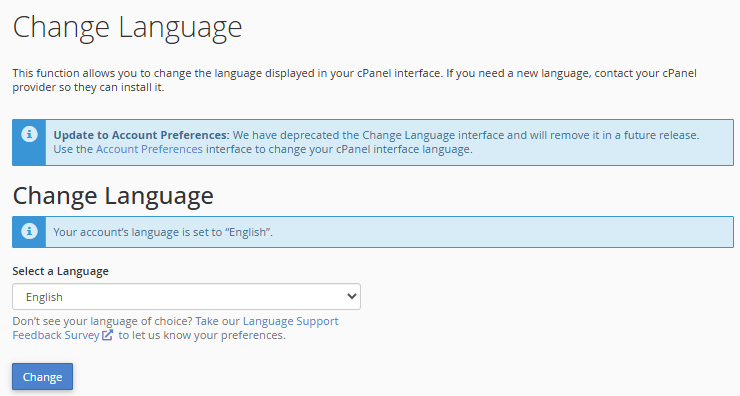
7. Click Change to save your settings.
8. Your cPanel interface will refresh and display in the selected language.
Additional Information
- The change only applies to your cPanel account. Other users may still see their own preferred language.
- If you login from another browser or device, your chosen language will remain saved.
- Some third-party plugins or add-ons in cPanel may not fully support every language and could still appear in English.
- If the selected language doesn’t display correctly, clear your browser cache or try logging in again.
- System notifications and emails from the server may still be sent in English, even if your cPanel is set to another language.
- If you ever want to revert to English, simply repeat the process and select English from the list.
- The list of available languages depends on your hosting provider’s configuration. If your preferred language is missing, contact support.
- Changing the language does not affect website content or databases; it only changes the cPanel interface.