Contact Support
 Sign In
WP Toolkit is a powerful tool within cPanel that allows you to manage your WordPress websites efficiently. It simplifies installation, updates, security, and overall management of your WordPress sites, all from a single dashboard. Hosted.com® provides WP Toolkit as part of cPanel to simplify managing WordPress, even for users with limited technical knowledge.
TABLE OF CONTENTS
What is WP Toolkit?
WP Toolkit is an integrated WordPress management interface that allows you to:
- Install WordPress quickly with pre-configured settings.
- Manage updates for WordPress core, themes, and plugins.
- Enable security features such as automatic backups and malware scanning.
- Clone, stage, or backup your WordPress site.
- Enable SSL and caching features for better performance.
By centralizing these tasks, it saves time and reduces the risk of misconfiguration.
How to Use WP Toolkit in cPanel
1. Login to your Hosted.com® account.
2. Navigate to your web hosting plan from the Manage Services menu.
3. Click Manage next to the hosting plan associated with your domain.
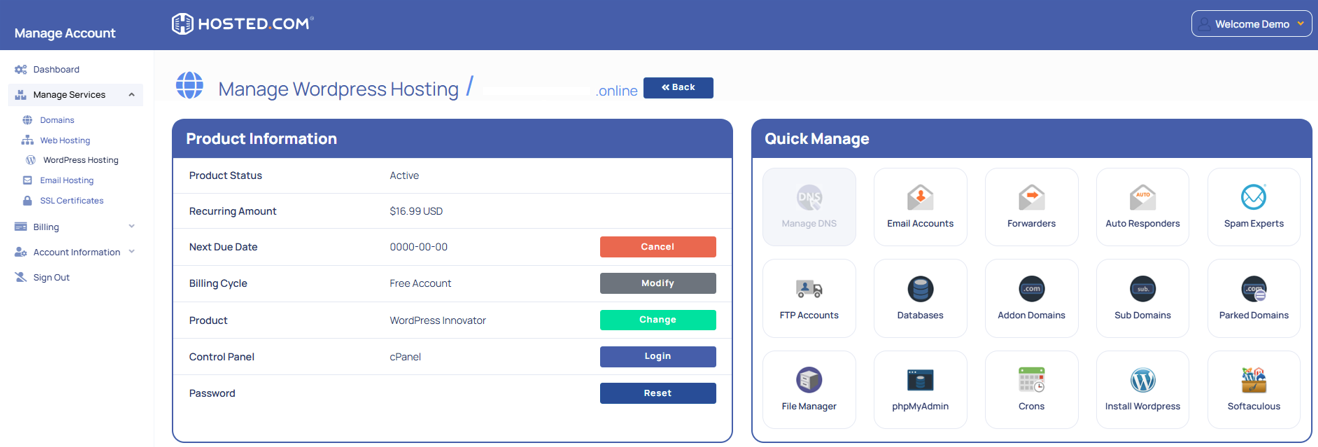
4. Click Login next to Control Panel to open cPanel.
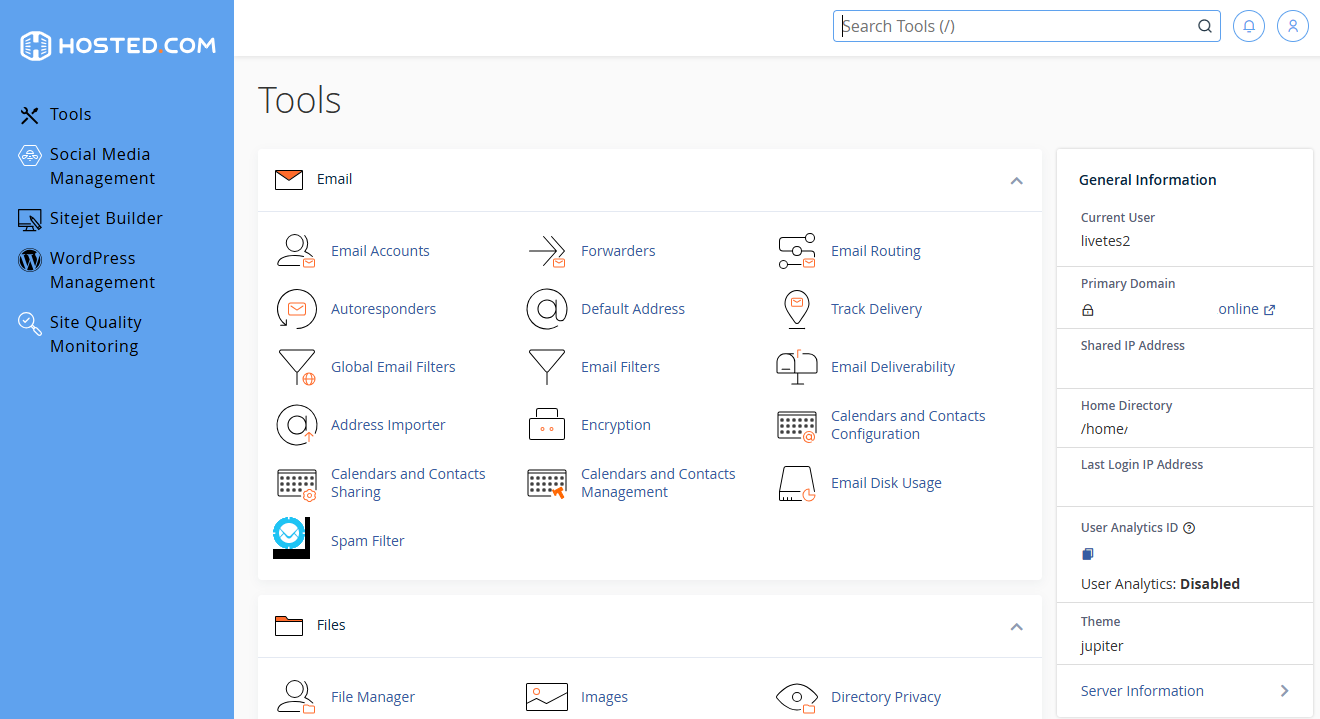
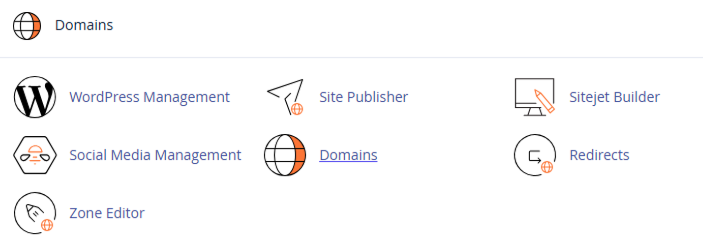
5. Scroll down to Domains and click WordPress Toolkit or select it from the panel on the left.
More Ways to Use WP Toolkit Dashboard for:
- Install WordPress: Click Install WordPress, choose your domain, and configure basic settings, like admin username and password.
- Manage Existing Sites: Click an existing WordPress site to access options for updates, security checks, backups, and staging environments.
- Clone or Stage: Use the clone or staging feature to safely test changes before applying them to your live site.
- Secure Site: Enable recommended security measures, like strong passwords, automatic updates, and SSL.
Additional Information
- Automatic Updates: It automatically update WordPress core, themes, and plugins, improving site security.
- Backups: You can create manual or scheduled backups for your WordPress site directly from the toolkit.
- Staging Environments: Testing changes in a staging site prevents errors from affecting your live website.
- Security Recommendations: The Toolkit provides suggested security settings tailored to each WordPress installation.
- Multiple Sites Management: If you host multiple WordPress sites, the toolkit allows you to manage all of them from a single interface.
- Compatibility: Most WordPress plugins and themes are compatible with WP Toolkit. However, always check before installing new plugins on live sites.
- Ease of Use: Designed to simplify complex tasks, making it accessible even for users with limited technical experience.