


 Contact Support
 Sign In
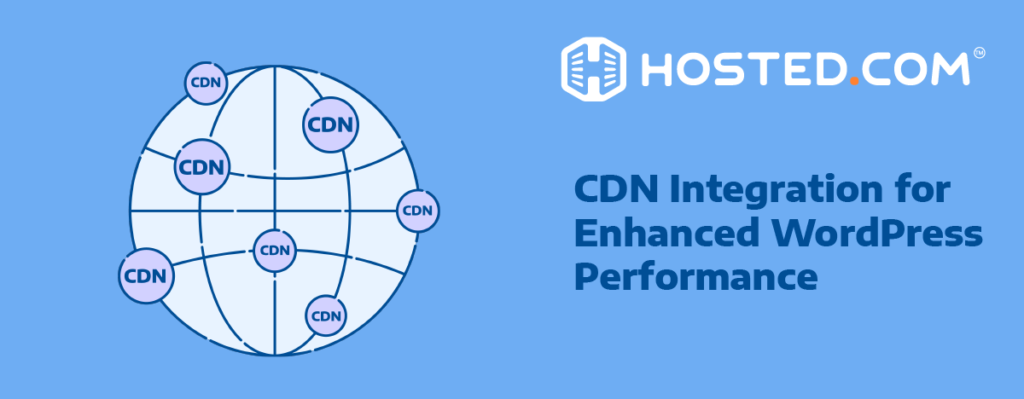
Using a WordPress CDN plugin offers a powerful solution to boost your site’s speed and reliability. This article will explore how CDN (Content Delivery Network) plugins work, their benefits, and the options available to optimize your WordPress Hosting and website. By understanding CDN technology and how to install and configure these plugins, you can dramatically enhance your website’s performance and user satisfaction.
KEY TAKEAWAYS
- CDNs distribute content globally, reducing latency and improving load times for all users.
- CDN plugins for WordPress simplify using a CDN by finding static website files, repointing them to the CDN servers, and keeping the CDN updated.
- WordPress CDN plugins are essential tools for improving site speed and user experience.
- Implementing a CDN plugin can be straightforward, but proper configuration is crucial for optimal performance.
- Choosing the right CDN involves balancing performance, coverage, features, and cost. Prioritize CDNs that offer easy WordPress integration, cover your target audience’s locations, and provide a good balance of performance and value.
- There are several effective CDN plugins available, each with unique features to suit different WordPress site needs.
- Regularly measuring and analyzing performance metrics is essential to ensure your CDN is effectively improving your site.
Table of Contents
What is a WordPress CDN Plugin?
WordPress, being one of the most popular Content Management Systems (CMS), often handles resource-intensive websites with dynamic content. By integrating a CDN, site owners can optimize WordPress hosting perfomance by reducing the load on their main server while decreasing latency for users in far locations. They also improve overall site speed and responsiveness and the ability to handle traffic spikes.
CDNs distribute your WordPress website’s static content, like images, videos, and JavaScript files, across a network of servers around the world. When a visitor requests your website, the CDN delivers the static content from the server closest to them. This significantly reduces latency, the time it takes for data to travel between the user and the server, which improves website loading times, especially for users far from your origin server (your main server). WordPress CDN plugins make it easy to integrate this technology into your WordPress site, often with minimal setup required, even for users with limited technical knowledge.
How WordPress CDN Plugins Work
CDN plugins for WordPress act as a bridge between your website and the CDN service, streamlining the integration process. The plugin scans your website’s files and identifies static assets like images, CSS files, and JavaScript. It then automatically rewrites the URLs of these assets to point to the CDN’s servers instead of your origin server.
The plugin keeps the CDN in sync with your WordPress site. Whenever you update static content on your site, the plugin pushes the changes to the CDN, ensuring users see the latest version.
Many WordPress CDN plugins also handle cache invalidation. This means they inform the CDN to remove outdated versions of your content from its servers, guaranteeing users receive the most recent version whenever they visit your site.
Why Use a CDN for WordPress?
Implementing a WordPress CDN plugin offers several benefits, the biggest being faster loading times. By storing content on servers around the world, CDNs deliver content to users from the closest location. This significantly reduces latency; the time it takes for data to travel between servers, and improves website speed. Users won’t have to wait long for your website to load, leading to a better overall experience.
Reduced Server Strain
CDNs take the load off your main server by handling static content like images, videos, and JavaScript files. This frees up resources on your server for more critical tasks like processing user interactions and database queries. A less strained server translates to smoother website operation and better performance.
Enhanced User Experience:
Faster loading times lead to a smoother user experience. People are more likely to stay engaged on a website that loads quickly. This can lead to increased user satisfaction, higher engagement with your content, and potentially even better conversion rates if you have an e-commerce store or rely on other calls to action.
SEO Boost
Search engines like Google prioritize websites that load quickly in their search results. By using a CDN, you can improve your website’s SEO ranking and gain greater visibility to potential visitors. This can be especially important if you’re competing in a crowded online space.
Increased Reliability
CDNs have built-in redundancy. This means that if one server goes down, others can pick up the slack, ensuring your website remains accessible to users. This redundancy helps to minimize downtime and frustrations for your visitors.
Improved Security
Many CDNs offer additional security features, such as protection against DDoS attacks. These attacks can overwhelm your server with traffic, making it unavailable to legitimate users. A CDN can help to safeguard your website from such malicious traffic and keep it secure.
Global Reach
A CDN ensures consistent performance for users around the world, regardless of their location. This is especially beneficial for websites with a global audience. With a CDN, users in faraway locations won’t experience slow loading times due to geographical distance.
Integrating a CDN Plugin with WordPress
Integrating a CDN with WordPress is typically straightforward, especially when using dedicated plugins, the general process is.
- Plugin Installation: Most CDN services provide WordPress plugins available in the WordPress plugin repository.
- Configuration: After installation, you’ll need to enter your CDN credentials (like an API key) and configure settings like which file types to serve through the CDN. Some CDN providers might require additional configuration on their platform after plugin setup.
- Automatic Integration: Once configured, the plugin automates the process of delivering your static content through the CDN.
- Custom Adjustments: Advanced users can often make manual adjustments to fine-tune CDN performance or exclude specific files.
- Automatic Delivery: The plugin takes care of delivering those files from the CDN’s servers closer to your visitors.
- Compatibility: While most CDN plugins are designed to work seamlessly with popular caching and optimization plugins, it’s always a good idea to check for specific compatibility information before integrating them.
- Analytics: CDN plugins offer integration with analytics tools, allowing you to monitor their performance and usage.
Here is a step-by-step guide to installing and configuring your CDN.
Installation
Once you’ve chosen a CDN provider compatible with WordPress, sign up for the service, and obtain the necessary credentials.
- Log into your WordPress admin dashboard
- Navigate to Plugins > Add New
- Search for your chosen CDN plugin
- Click “Install Now” and then “Activate”
Configuration
To make the most of your CDN plugins, it’s essential to configure them correctly. Start by selecting the right settings for your website and ensuring your content is properly distributed across the CDN network. With the correct configuration, you can ensure that your website is both fast and secure, keeping visitors engaged and satisfied.
Each CDN plugin comes with specific setup instructions to configure it according to your preferences. Generally, this involves entering your CDN URL, which you receive upon signing up for a CDN service and enabling features like minification and browser caching. Following the setup instructions carefully will ensure seamless integration and optimal performance enhancements for your site.
- Go to the plugin’s settings page
- Enter your CDN credentials
- Select file types to serve via CDN (typically images, CSS, and JavaScript)
Note: Begin with the default settings before making any custom adjustments. This helps avoid introducing unintended issues.
Best Practices for CDN Integration
Make sure your CDN supports HTTPS to maintain secure connections for your website.
Don’t serve dynamic content (like shopping carts or user login pages) through the CDN cache, as it can lead to displaying outdated information. Activate file compression on your CDN for faster delivery of static assets. If your CDN or plugin offers image optimization, use it to reduce file sizes and improve loading times.
Consider setting up preloading for critical assets like your main stylesheet or JavaScript file. This can significantly improve initial page load times. Set appropriate cache expiration times for different content types. Static content like images can have longer expiration times compared to dynamic content that changes frequently.
Regularly monitor and analyze your WordPress site speed and performance and adjust as needed to optimize loading speeds and user experience. Clear your website cache visit your site and verify static assets are being served correctly from the CDN
Common Issues and Troubleshooting
Mixed Content Warnings: These can occur if CDN URLs use HTTP instead of HTTPS. Ensure your CDN URLs use HTTPS and update any hardcoded asset URLs on your website to point to the secure CDN version.
Caching Issues: If changes to your website aren’t reflected immediately, try purging the CDN cache and clearing your local browser cache.
Plugin Conflicts: If you suspect a plugin conflict, temporarily disable other plugins to identify the culprit. You can then adjust settings or contact plugin support for further assistance.
Incorrect Asset URLs: Double-check the URL rewrite settings in your CDN plugin and the CDN configuration itself to ensure assets are being fetched correctly.
Slow Performance in Certain Regions: Verify your CDN’s coverage in specific regions. If performance issues persist, consider switching to a CDN provider with stronger coverage in those areas.
High Bandwidth Usage: Review which assets are being served through the CDN. If large files are causing high bandwidth usage, consider optimizing them or excluding them from CDN delivery if appropriate.
SSL Certificate Issues: Ensure proper SSL certificate setup on both your WordPress website and your CDN. This is crucial for maintaining a secure connection.

Choosing the Right CDN Plugin
While CDNs offer a range of benefits, selecting the right CDN plugin for your WordPress website streamlines the integration process and lets you take advantage of those benefits efficiently. Here’s what to consider when making your choice:
Compatibility
This is one of the most important factors to consider. Ensure the CDN plugin integrates seamlessly with your WordPress core and PHP versions, theme, and any existing plugins you use. look for plugins with a proven track record of compatibility and positive user reviews from the WordPress community.
Network Size & POP Locations
One of the primary considerations when choosing a CDN is the size of its network and the number of Points of Presence (POP) locations. A CDN with a vast network and strategically placed POPs ensures that your website’s content can be delivered quickly to users, regardless of their location. This helps reduce latency and improves overall user experience.
Ease of Use
A user-friendly interface and clear setup process are essential, especially if you’re not technically savvy. A good CDN plugin should have an intuitive dashboard and simple configuration requirements. Additionally, good documentation and responsive customer support are also important.
Features
Check the features offered by the plugin. Common features include automatic configuration, file type selection for CDN delivery, and integration with popular caching plugins. Some plugins have advanced features like image optimization, real-time analytics, or security enhancements. Consider your website needs and choose a plugin that provides the necessary functionality.
Performance
While some CDNs offer their analytics, look for plugins that integrate with performance monitoring tools or provide basic CDN performance metrics within the plugin itself. This allows you to track CDN effectiveness and identify any potential issues.
Security
Most CDNs offer basic security, check if the plugin itself offers any additional features to help further protect your site. Beyond basic content delivery, consider CDNs that offer additional features like SSL/TLS support, DDoS protection, image optimization, and real-time analytics.
Pricing
CDNs offer a variety of pricing models, including data transfer-based pricing, flat rates, and tiered pricing. It’s essential to compare these models to find one that aligns with your budget and expected traffic and offers the best value for money. Some CDN providers offer freemium plans with limited features, while others require paid subscriptions. Freemium plans can be a good starting point for low-traffic websites, while paid plans with advanced features might be necessary for high-traffic websites.
Top WordPress CDN Plugins
WP Rocket (with RocketCDN)
WP Rocket is a well-known caching plugin that also offers a CDN service called RocketCDN. It provides features like easy setup, automatic image optimization, and integration with popular security plugins.
Pros
- Beginner-friendly: The simple setup process makes it ideal for users who aren’t comfortable with complex configurations.
- Performance Boost: Automatic image optimization and caching integration can significantly improve website speed.
- Streamlined Workflow: Bundled with a popular caching plugin can simplify website optimization management.
Cons
- Paid Service: Requires purchasing the WP Rocket plugin, which might not be ideal for users on a tight budget.
- Limited Security: Relies on integration with separate security plugins for advanced protection.
Best for Beginners and users with existing caching plugin setups who prioritize ease of use and image optimization alongside CDN functionality.
BunnyCDN
This plugin offers a user-friendly interface, a global server network, and features like real-time monitoring and perma-caching. It’s a cost-effective option with various pricing plans.
Pros
- Cost-effective: Offers various pricing plans, including a free tier with limited features, making it suitable for budget-conscious users.
- Real-time Insights: Real-time monitoring allows you to track CDN performance and identify potential issues quickly.
- Global Reach: An extensive server network ensures good performance for users worldwide.
Cons
- Limited Security: Lacks advanced security features compared to Sucuri or Cloudflare’s premium plans.
- Free Tier Limitations: The free tier has bandwidth restrictions and might not be sufficient for high-traffic websites.
Best for: Budget-conscious users who prioritize cost-effectiveness, real-time monitoring, and global reach, while security is not the top concern.
Cloudflare
One of the most popular CDN providers, Cloudflare offers a free plan with basic features and paid plans with additional functionalities like security enhancements and advanced analytics. Their plugin integrates seamlessly with WordPress.
Pros:
- Free Plan: A good starting point for low-traffic websites to experience CDN benefits without initial investment.
- Large Server Network: Ensures global reach and good performance for users worldwide.
- Easy Integration: Seamless integration with WordPress simplifies setup and management.
Cons
- Limited Free Features: The free plan lacks advanced features like security enhancements and detailed analytics.
- Paid Plans Can Be Costly: Paid plans with advanced features can become expensive for high-traffic websites.
Best for: Users who are new to CDNs or have low-traffic websites. It’s also a good option for those who prioritize a free plan or value easy integration with WordPress. However, high-traffic websites might find the paid plans expensive.
Sucuri
Known for its website security focus, Sucuri also offers a CDN service with DDoS (Distributed Denial of Service) protection, malware scanning, and website firewall features. It’s a good option for websites prioritizing security.
Pros
- Security: Ideal for websites prioritizing security, offering advanced protection features beyond basic CDN functionality.
- Peace of Mind: DDoS protection and malware scanning provide an extra layer of security against malicious attacks.
Cons
- Complex Setup: Compared to some other options, Sucuri’s setup might involve more configuration steps, especially for non-technical users.
- Paid Service: Requires a subscription, which could be a deterrent for budget-conscious users.
Best for: Websites with higher security requirements, such as e-commerce stores or those handling sensitive data. Sucuri might be a good choice if security is a top priority, even if it involves a steeper learning curve for setup.
KeyCDN
Known for its ease of use and focus on performance, KeyCDN offers a simple setup process, global POPs, and features like real-time traffic reports. It has various pricing plans based on bandwidth usage.
Pros:
- Ease of Use: A simple setup makes it a good option for users who prefer a straightforward configuration process.
- Performance Focus: Real-time traffic reports help users monitor CDN performance and identify areas for improvement.
- Flexible Pricing: Offers various pricing plans based on bandwidth usage, allowing users to scale as their website grows.
Cons:
- Limited Security: Like BunnyCDN, KeyCDN lacks advanced security features compared to Sucuri or Cloudflare’s premium plans.
Measuring Performance After Implementing a CDN Plugin
As we’ve covered, integrating a CDN with your WordPress website can significantly improve loading times and user experience. However, it’s good practice to track the impact of your CDN and measure how it is improving performance.
Use website speed testing tools like Google PageSpeed Insights or GTmetrix to measure website loading times before and after implementing the CDN. Compare the results obtained before and after CDN integration.
Look for improvements in metrics like First Contentful Paint (FCP), Largest Contentful Paint (LCP), and Time to Interactive (TTI). These metrics indicate how quickly users see content and how fast your website becomes interactive.
Many CDN providers offer built-in analytics dashboards. Utilize these tools to track key CDN performance metrics. These might include:
- Origin Traffic vs. CDN Traffic: This tells you how much content is being served from your CDN servers compared to your origin server, indicating the CDN’s effectiveness in offloading traffic.
- Cache Hit Rate: The percentage of requests successfully fulfilled by the CDN cache, reducing the load on your origin server.
- Average Response Time: This metric shows the average time it takes for the CDN to deliver content to users.
Monitor user engagement metrics like bounce rate, average session duration, and conversion rate (if applicable) after implementing the CDN. Improved website speed can lead to a decrease in bounce rate, longer user engagement, and potentially higher conversion rates.
Here are some additional tips for measuring performance improvements:
- Conduct tests consistently over time. Monitor performance not just after initial setup, but also periodically to track ongoing CDN effectiveness.
- Consider testing during peak traffic hours to ensure your CDN can handle increased load.
- Compare CDN performance across different geographical regions, especially if you have a global audience.
FAQs
What is a CDN and how does it benefit my WordPress website?
A CDN (Content Delivery Network) stores your website’s static content (images, CSS, JavaScript) on servers around the world. This delivers content to users from the closest server, improving website loading times and user experience.
What are some popular CDN plugin options for WordPress?
Popular choices include WP Rocket (with RocketCDN), BunnyCDN, Cloudflare, Sucuri, and KeyCDN. Each offers different features and pricing models.
Do I need to pay for a CDN plugin?
Some CDNs offer freemium plans with limited features, while others require paid subscriptions. Choose a plan that aligns with your budget and website traffic.
Is it difficult to set up a WordPress CDN plugin?
Many CDN plugins offer user-friendly interfaces and easy setup processes. However, the difficulty of set up can vary depending on the plugin.
Will a CDN plugin make my website completely secure?
While some CDNs offer basic security, additional features might be needed depending on your website’s specific requirements. Consider a security plugin or a CDN with additional options for maximum protection.
How do I choose the right CDN plugin for my website?
When choosing a CDN plugin take factors like ease of use, features (image optimization, security), pricing, and your website’s traffic volume and security needs into account.
Other Blogs of Interest:
– Why Optimized WordPress Hosting is Essential for Your Website
– The Importance of WordPress SSL Certificate for Your Website
– Analyzing WordPress Site Speed and Performance Metrics
– WordPress Hosting Performance Optimization Strategies
– WordPress Hosting Basics: An Introduction
- About the Author
- Latest Posts

Rhett isn’t just a writer at Hosted.com – he’s our resident WordPress content guru. With over 6 years of experience as a content writer, with a background in copywriting, journalism, research, and SEO, and a passion for websites.
Rhett authors informative blogs, articles, and Knowledgebase guides that simplify the complexities of WordPress, website builders, domains, and cPanel hosting. Rhett’s clear explanations and practical tips provide valuable resources for anyone wanting to own and build a website. Just don’t ask him about coding before he’s had coffee.