Contact Support
 Sign In
An email signature is a designated section of text and/or images automatically added to the end of outgoing email correspondence. It functions as a digital business card for your email account, offering recipients important information regarding the sender. Beyond just acting as a closing statement, signing your messages with the right signature can be an important part of communication that boosts your professionalism, supports consistent branding, and provides important contact details. By having a well-designed mail signature, people and businesses can enhance their email interactions.
TABLE OF CONTENTS
Essential Elements Of An Email Signature
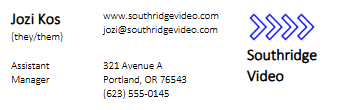
A well-structured signature, depending on your business, is generally made up of the following essential elements:
- Name: The sender’s first and last name.
- Job Title: The sender’s role within the company.
- Contact Information: This includes phone numbers, email addresses, and physical locations.
- Company Name: Business’s name as represented by the sender.
- Website URL: A link to the company’s or the sender’s websites and other relevant professional pages.
- Social Media Links: Links to relevant social media accounts (e.g., LinkedIn, X, Instagram, etc.).
- Images or Logos: Incorporating company logos or personal photographs can enhance branding.
- Quotes or Taglines: Some individuals include a preferred quote or the company’s slogan.
Additional Information
Benefits of Using Email Signatures
There are several benefits to using a signature at the end of your mails, these include:
- Enhanced Professionalism: An email signature gives a professional look to your messages while helping improve credibility and trust, especially in business communication.
- Centralized Information: Signatures consolidate essential contact information for recipients into one easy-to-reference place, improving and providing more channels for communication.
- Brand Promotion: Incorporating branding elements within the signature can enhance visibility and foster brand recognition with each email dispatched.
- Uniformity: Consistent signatures throughout an organization support the maintenance of brand identity and professionalism.
- Marketing Potential: Email signatures can be used as a platform for promoting special offers, events, or new products via embedded links.
- Efficiency: Saves time by automatically adding the information to every message you send instead of typing it out every time.
- Legal Compliance: An easy way to add disclaimers to meet legal requirements in some industries.
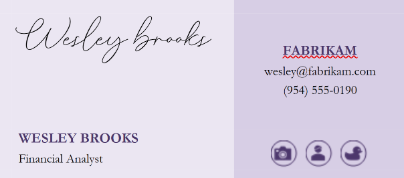
- Example below is a Word template:
Creating an Email Signature: Best Practices
Most email clients have built-in features for creating and managing email signatures. This is the easiest way to ensure that your signature is automatically added to your emails. Creating an email signature differs based on the client (Outlook, Gmail, Apple Mail) you use. Below are some guidelines and tips for setting up a professional, informative signature for most applications:
- Keep it Simple: Avoid overcrowding your signature with too much information; concentrate on essential details and keep it clean and legible. A signature that’s too long and too busy can be distracting.
- Fonts and Colors: Use professional and easy-to-read fonts, avoid overly decorative or script fonts, and ensure your signature aligns with your business’s branding and color scheme.
- Verify Your Signature: Send test emails to confirm your signature loads and displays correctly across types of devices and email clients. Check for typos and grammatical errors.
- Images: Logos are acceptable, but avoid large, unnecessary images that can increase the size of your emails, slowing down delivery or being blocked by email clients.
- Regularly Update: Always make sure your signature is accurate and reflects changes in contact details or job titles.
- Social Media: Don’t include personal social media accounts unless they are directly relevant to your professional role.
NOTE: For additional assistance in creating effective email signatures, refer to the specific guidelines for your email client or look for online resources that provide templates and design suggestions.