


 Contact Support
 Sign In

When you build a website for health blogging, you can share your knowledge, inspire others to live healthier lives, and build credibility in the wellness space. It can also open the door to earning an income through your content.
This guide explains how to create, personalize, and grow a health blog step by step, starting from identifying your audience to ensuring your posts are search-engine friendly. We also cover practical tips, and explain how to promote your blog effectively, and to create a source of revenue from it.
KEY TAKEAWAYS
- When you start a health blog, pick a health topic you’re confident about and can write helpful content on.
- Choose a blog name that’s clear and matches your focus.
- Register a domain and use a reliable blogging platform, like WordPress or a website builder.
- Select a clean, mobile-friendly template that’s easy to customize.
- Create simple navigation and basic branding.
- Ensure your blog is easy to read with short paragraphs and clear headings.
- Use SEO basics, like keywords, meta descriptions, and clean URLs.
- Improve your blog’s speed using a lightweight theme and by compressing images.
- Share your blog on social media and join groups where your audience is active.
- Start an email list and send helpful tips or updates to stay in touch with readers.
- Monetize your blog with affiliate links, digital products, or sponsored posts once you have steady traffic.
- Always back your content with trusted sources and avoid making health claims you can’t support.
TABLE OF CONTENTS
Why Start a Health Blog?
The health and wellness space is huge, and growing, and wellness blogs are popular in 2025. It’s estimated it will grow to $9 trillion by 2028. This means there’s a huge audience for helpful, knowledgeable, and easy-to-read content.
As people are searching for trustworthy health information every day, if you create a health blog where you share clear tips with great sources, you’ll reach readers who already want answers.
In the next section, we discuss the steps you need to start a health blog.
How to Start a Health Blog
Step 1: Understand Your Audience
When you start a health blog, you need to know who you’re writing for. Your target audience shapes everything, including your tone, your content, and even your blog design. When you understand what they need, your blog becomes more useful and easier to grow.
Step 2: Define Your Blog’s Purpose
When you start a health blog, first, ask yourself, “Why am I starting this blog?” Your answer will help shape the type of content you create. You might focus on:
- Educational Tips: Showing people how to live healthier.
- Personal Journeys: Sharing your story to inspire others.
- News & Trends: Covering new studies, diets, or fitness ideas.
Figuring all this out is essential, because a clear purpose makes your content easier to plan and more focused for your readers.
RESEARCH YOUR AUDIENCE
To create helpful content, you need to understand your audience’s habits, needs, and problems. There are several simple ways to do this. They include the following:
Check Analytics
If you already have a social media page for your small website, look at your analytics. You can use various analytics tools, such as Google Analytics or Facebook Insights, to know your audience’s age, gender, interests, and what content they engage with most.
Use Surveys
Create a short, simple survey of three to five questions. Ask what your readers want to learn, what they struggle with, and how they prefer to learn (articles, videos, etc.). Remember: interactive content, which includes quizzes, surveys, questionnaires, etc., are the most effective ways of finding out what an audience wants.
Check Online Forums/Health Blogs
Browse places online forums like Reddit’s health communities or Quora. Read the questions people always ask. This tells you what real people want to know.
CREATE 2-3 READER PROFILES
Now, based on what the surveys tell you, build two or three simple reader profiles. Each profile should include:
- Age range.
- Job or lifestyle.
- Main health goals.
- Common problems or questions.
- What kind of content are they most likely to enjoy?
For example:
- Healthy Hannah, 32, busy mom, wants quick, nutritious recipes.
- Fitness Fred, 26, new to working out, needs beginner workout plans.
- Calm Clara, 40, works in a high-stress job, looking for natural stress relief ideas.
These profiles help you stay focused when writing. You’ll stop guessing what to post and start creating content your readers care about. Engage your readers; write what they want to know about.
TIP:
Save your audience research in a Google Doc or Notion Board. Update it every few months as your blog grows. You might spot some new trends, or audience shifts you didn’t expect.
Step 3: Select a Blogging Platform
Choosing the right blogging platform is one of the most important steps when starting your health blog. It affects how your blog looks, how easy it is to manage, how fast it loads, and how well it performs in search results.
What To Compare
When choosing a platform, look at these key features:
- Ease of Use: Can you set up your blog without needing to code?
- SEO Control: Does it let you edit titles, meta descriptions, URLs, and add structured data?
- Templates: Are there clean, mobile-friendly designs you can use?
- Speed Tools: Can you optimize images, caching, and other performance settings?
- Cost: Does it fit your budget both now and as your blog grows?
A simple interface and solid support can save you time, especially when you’re just starting.
Two Common Paths
You’ll usually pick between a website builder and WordPress.
A website builder provides everything in one place. It’s great if you want a quick setup and built-in tools for design, SEO, and marketing. Some builders even include AI tools to help you write or design faster. Keep in mind that AI can sometimes limit creativity.

WordPress, on the other hand, gives you more control. It’s open-source, so you can install plugins, customize designs, and manage your blog. For this, you’ll need web hosting, but many providers, including Hosted.com®, make setup easy with one-click installers.

Now, which one to choose? If you want to grow with time without any limitations, we recommend using WordPress, which is widely used. It’s estimated that around 43% of all websites worldwide use this content management system.
“WordPress gives creators full freedom to shape their content. With the right plugins and a good host, it scales from a hobby blog to a full business site,” says WordPress Co-Founder, Matt Mullenweg.
Speed & User Experience Matter
When choosing a platform, ensure it provides fast loading, as people don’t like to wait long for a site to upload, and may leave if it is too slow. Select a platform that supports fast loading times, a mobile-friendly design, and performance tools. This helps your readers stay longer and improves your SEO ranking.
TIP:
If you’re still unsure, start with a website builder for speed and ease, then move to WordPress when you’re ready for more advanced features. Both paths work. Select one that fits your current goals. We’ve already covered how to migrate from Weebly, Joomla, Wix, Squarespace, Webflow, and Drupal to WordPress. You can find all these helpful pieces on our articles page.
Step 4: Choose Your Health Blog Niche
When you begin a health blog, take time to choose the right niche, the specific topic or theme your blog will focus on to stay consistent and attract the right readers.
When choosing a niche, find something you’re passionate about, know about and can speak about clearly. If you have personal experience or a background in the topic, that’s even better. Your knowledge builds trust and helps your content stand out.
Ask yourself:
- What health topics do I enjoy learning or talking about?
- Can I create useful tips or personal stories in this area?
- Is this something people are searching for online?
Next, ensure there’s real demand. To do this, use free tools like:
- Google Trends: To see if people are searching for your topic.
- Ubersuggest or Keyword Planner: To check keyword ideas and monthly search volume.
- Google Search: To scan the top results and study what already ranks
Look for topics that people search for all year, or plan for seasonal content (e.g., “healthy holiday meals” or “summer fitness tips”).
Also, check how many blogs already cover the topic. If it’s crowded, don’t worry. Focus on offering your specific voice, stories, and approach.
Here are some health blog niche ideas to help you decide:
- Meal planning for busy families or specific dietary requirements.
- Home workouts that need no gym or gear.
- Yoga routines for stress or sleep.
- Mental well-being with self-care and daily habits.
- Healthy recipes for beginners or specific needs (gluten-free, plant-based, etc.).
- Natural remedies with safety tips backed by science.
Pick one focus to start. You can always expand later once your blog gains traction.
When writing about health, it’s important to stay responsible. Always back your advice with trusted sources, such as government health sites, medical journals, or renowned health organizations. Avoid untested or harmful claims. Be honest about what worked for you and tell readers when it’s important to talk to a doctor.
According to Google’s Helpful Content guidelines for health and wellness topics, your content should put people first, offering real value, not keywords. Google favors helpful, accurate posts written with care and real experience.
Step 5: Decide on a Blog Name & Domain
Your blog name and domain are often the first things people see, so it’s important to choose them wisely. A good name tells readers what your blog is about and helps them remember it. Your domain name is the online address of your blog.
Here’s how you can choose a blog and a domain name:
Brainstorm Short Names that Show Your Focus
First, write down a few words related to your niche. Consider your blog’s tone: Do you want it to sound serious, friendly, or fun? Try combining keywords with simple, clear words. Keep it short, easy to spell, and relevant to your topic.
For example:
- FreshFitKitchen: For a healthy meal blog.
- CalmInMotion: for yoga and mental well-being.
- MindfulSteps: for stress relief and habits.
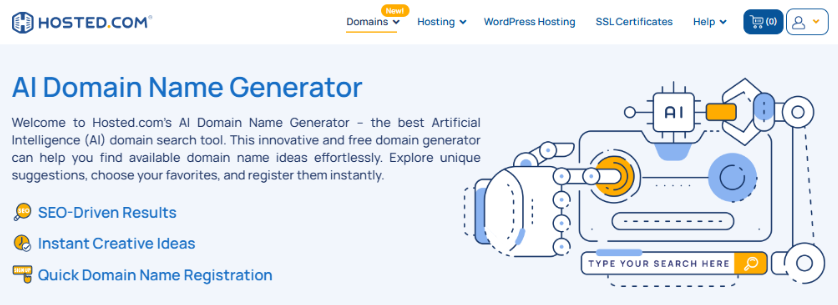
You can also use AI domain name generators to get more ideas, but ensure the name still sounds human and real.
Check Domain Availability & Register It
Once you find a name you like, check if the domain is available. Most people go for a .com address, although .health, .blog, or .fit are also great for health blogs.

If the domain is available, register it immediately before someone else grabs it.
Basic Domain Policy Awareness
When you register a domain, it’s not just about picking a name; you’re also agreeing to follow internet rules managed by the Internet Corporation for Assigned Names and Numbers (ICANN). These rules ensure domain data is accurate and private.
According to ICANN, in February 2024, the Registration Data Reminder Policy (RDRP) was updated, and enforcement is required by August 21, 2025. This policy ensures that domain owners keep their contact information correct and respond to reminders.
So, when you register your domain, double-check your contact info and stay updated on changes. This helps protect your domain and ensures you don’t miss important notices.
Remember, a strong blog name and domain build trust and make your site easier to find. Take your time choosing, and once you’re happy with the name, make it yours, so you will be ready to move forward.
Step 6: Design Your Blog with Templates
Once your health blog is set up, it’s time to make it look good. A clean, well-designed layout helps readers stay longer and makes your blog easy to read. Good design also builds trust, because people are more likely to take your content seriously when your site looks professional.
Here’s what you need to do to design your blog:
Pick a Clean, Mobile-Friendly Template or Theme
Start by choosing a blog theme or template that fits your topic. Whether you’re using a website builder or WordPress, look for templates that:
- Works well on phones and tablets.
- Have space for headings, images, and calls to action.
- Are easy to customize without needing to code.
Most platforms allow you to preview templates before choosing. Select one that feels modern, not too cluttered, and puts your content front and center.
Simple Colors & Readable Fonts
Stick to two or three main colors. Too many colors can distract readers. Choose a background that makes text easy to read, such as white or light gray. For fonts, use something clean and easy on the eyes. Avoid fancy or hard-to-read styles. A good font helps people scan your blog fast and enjoy the content.
Try using:
- A bold, simple font for headings.
- A clean, soft font for body text.
- Plenty of space between lines and sections.
If you’re using WordPress, install a fast, block-ready theme. Block themes are flexible and work well with the WordPress editor. They let you build pages using drag-and-drop blocks.
Speed also matters. A slow theme can hurt your blog’s user experience and SEO. To ensure your site performs well, test your theme using tools like PageSpeed Insights.
Also, keep an eye on Core Web Vitals, which measure how your site loads and responds. One key metric is Interaction to Next Paint (INP), which gives a great view of how quickly your blog responds when users click or tap.
So, always test your design and ensure your blog:
- Loads quickly.
- Responds fast to user actions.
- Looks great on mobile.
Remember, a simple, user-friendly design keeps readers engaged and helps your blog perform better in search engines. Choose a layout that’s easy to use, and focus on speed, clarity, and comfort. That way, your content stays the star of the show.
Step 7: Customize Your Blog
Now that you’ve selected your design, it’s time to make your blog feel like it’s yours. Customizing your blog helps it stand out and makes it easier for visitors to find what they need. A clear layout, simple colors, and a few smart settings can go a long way.
Begin by setting up an easy-to-follow menu. Your main navigation should have four to five key links:
- Home: Where visitors land.
- About: A short page about who you are and why you blog.
- Blog: Your list of posts.
- Contact: Page where people can communicate with you.
- 1 or 2 Category Hubs: Group-related posts together (e.g., “Fitness Tips” or “Healthy Recipes”).
Simple navigation keeps your blog clean and helps visitors explore your content without getting lost.
While customizing your health blog, ensure you add branding. It doesn’t mean you need a fancy logo or a big design budget. Just focus on these basics:
- Logo: Use your blog name in a bold, clean font or try a free logo maker.
- Colors: Select two or three soft, natural colors that fit your niche.
- Buttons: Use one standout color for calls-to-action (CTA) (like “Subscribe” or “Read More”).
These small touches help your blog feel professional and consistent.
Also, ensure everyone can enjoy your content, including those who use screen readers. One simple step is to add alt text to every image. Alt text is a short description of the image that assists visually impaired users. It can also help your SEO by giving search engines more context.
When you start a health blog and make changes to it, don’t overlook your blog’s security. To protect your blog and its readers, use HTTPS from the start; this shows your site is secure. It keeps data safe and builds trust.
Also, ensure your hosting provider includes a free SSL certificate or allows you to add one easily. Once it’s set up, all your pages should load using “https://” instead of “http://”.
Start A Health Blog with everything you need in one place — Domain Registration, reliable Web Hosting, and create your site with our simple Website Builder.
Hosted.com® also offers professional email, free SSL, and expert support to guide you every step of the way.
Step 8: Write Engaging Content
Next is great content, the heart of your health blog. It’s what keeps readers returning, builds trust, and helps your blog grow. To stand out, your posts should be clear, helpful, and easy to read. Here’s how:
Start with a mix of post styles to keep your blog interesting and valuable:
- How-to Guides: Step-by-step help for everyday health tasks.
- Checklists: Easy-to-follow lists readers can use right away.
- Recipes or Routines: Meal ideas, workout plans, or daily habits.
- Expert Q&A: Answers from professionals or guest contributors.
- Myth-Busting Posts: Clear up common health misconceptions, using trusted sources.
These formats work well because they’re simple to understand and solve real problems.
Remember, when you’re writing about health, your content must be accurate and responsible. Always aim to be clear, honest, and careful. To do that, include:
- Author Bios: Share your background and experience, so readers know who’s giving the advice.
- Medical Review Notes: If possible, have a professional review the content with sensitive claims.
- Citations: Link to trusted sources, not random blogs or forums.
Make your posts easy to scan by:
- Using short paragraphs (two to four lines each).
- Adding clear subheadings to break up content.
- Including internal links to your related posts.
- Ending with takeaways or a call to action.
This helps your readers and search engines understand your content better.
Additionally, adding a FAQ section at the end of your posts can answer common questions before people even ask. It also adds more helpful content to your page.
From an SEO standpoint, using a valid FAQ Page can improve visibility, though it’s not always guaranteed. When you combine helpful formats, structured data, and trustworthy sources, your content becomes more useful and easier to find. Write with your readers in mind, and your health blog will grow over time.
Step 9: Optimize Your Blog Content for Search Engines
Once you start a health blog and publish your first posts, the next step is to ensure people can find them. That’s where Search Engine Optimization (SEO) becomes essential.
Good SEO helps your blog rank higher in Google and other search engines, which means more people can discover your content, visit your site, and benefit from your tips.
To begin, focus on on-page SEO, which is about how each individual page on your blog is set up. Every post should have a unique title that clearly shows what the content is about. Try to place your main keyword near the beginning of the title to improve visibility.
Next, write a short and helpful meta description. This is the snippet that appears below your link in search results. It should summarize the post in about 150 to 160 characters and encourage clicks.
Also, ensure your URL (slug) is short and clean. Use real words instead of numbers or random strings.
EXAMPLE: Real words
yourblog.com/healthy-breakfast-ideas
EXAMPLE: Numbers
yourblog.com/post?id=123Finally, always add alttext to your images. It tells search engines what the image is about and helps those users who rely on screen readers, improving both SEO and accessibility.
In addition to on-page elements, monitor how your site performs in terms of speed and user experience. To improve speed, compress your images, use caching tools, and select a lightweight theme that loads quickly on both desktop and mobile.
Step 10: Promote Your Health Blog
Even if you start a health blog to provide the best content, it still needs promotion. If people don’t know your blog exists, they won’t find it, no matter how helpful your posts are.
Here’s how you can promote your blog:
Social Posting Plan
Share your content where your audience already spends time.
- Post short tips, quotes, and highlights from your blog.
- Create visual posts, such as infographics or quick reels.
- Join Facebook groups, forums, or threads where your topic is already being discussed.
- Use Canva to design eye-catching posts quickly.
Partnerships
Collaborate with others to reach viewers. Do this by:
- Writing guest posts as an expert for other health or wellness blogs.
- Teaming up on free resources or challenges.
- Featuring expert Q&As or short interviews.
These connections boost your reach and build trust.
Email List
Email is one of the best ways to keep readers coming back to your blog. To grow your mailing list, offer a freebie, such as a checklist or a five-day health plan, in exchange for their email address. Use a reliable email service such as MailerLite, Kit, or Brevo to manage your list and send messages. Once you’ve set it up, send helpful tips, blog updates, and exclusive content to stay connected with your audience and keep them engaged.
Step 11: Monetize Your Health Blog
Once your blog gets steady traffic, you can start earning from it. There are many ways to make money without turning your blog into an ad-filled mess.
Affiliate Marketing
Share products or tools that fit your niche and assist your readers. When someone purchases through your link, you earn a small commission. Always pick tools you trust and only recommend what’s truly helpful.
IMPORTANT:
According to the official Endorsement Guides, your Affiliate Link disclosure must be ‘clear and conspicuous’. For example, keep it simple like: “This post contains affiliate links”, and place it near the link so readers see it immediately.
Sponsored Content
Brands may pay you to write a post about their product. If you accept a deal:
- Set clear deliverables (word count, links, deadline).
- Share your rates and traffic upfront.
- Ensure it matches your blog’s voice and values.
Again, always disclose when something is sponsored.
Digital Products
Create simple, useful resources that your audience can download:
- Meal plans.
- Printable checklists.
- Workout calendars.
- Short email courses.
You can sell these using Gumroad, SendOwl, or directly through your website.
Google or Exoic Ads
Display ads (like Google AdSense or Ezoic) can bring in income-based on traffic. But wait until you have plenty of visitors. Too many ads on a new blog can annoy readers and slow down your site.
TIP:
Start with one monetization method and grow from there. Focus on trust and value first; when your blog helps people, income will follow naturally.
![Hosted.com® has everything you need to start, from Web Hosting to Email Setup. [Get started]](https://www.hosted.com/blog/wp-content/uploads/2025/08/start-a-health-blog-02-1024x229.webp "Hosted.com® has everything you need to start, from Web Hosting to Email Setup. [Get started]")
Find the Perfect Domain Name – AI Domain Name Generator
VIDEO: How to Find the Perfect Domain Name – AI Domain Name Generator
FAQS
Do I need to be a health expert to start a health blog?
Not necessarily, but you should focus on sharing personal experiences or well-researched content. Always link to trusted sources to build credibility.
Can I start a health blog for free?
Yes, you can use free platforms, but a custom domain and hosting provide more control and help your blog look professional.
How often should I publish new blog posts?
Aim for at least one post per week. Consistency helps build trust and keeps your readers coming back.
Is it okay to share personal health stories?
Yes, personal stories can connect with readers. Just avoid giving medical advice unless you’re qualified.
When should I start monetizing my health blog?
Wait until you have steady traffic. This ensures people see your affiliate links or products, making monetization more effective.
Other Blogs of Interest
– Easily Start a Blog or Content Focused Website
– 6 Best Website Builder for Blogs 2024
– How To Create A Blog for Free: 7 Steps
– Best Blog Website Templates For A Professional Look
– Unlocking the Potential of .blog Domains: Tips for Bloggers
- About the Author
- Latest Posts

Rhett isn’t just a writer at Hosted.com – he’s our resident WordPress content guru. With over 7 years of experience as a content writer, with a background in copywriting, journalism, research, and SEO, and a passion for websites.
Rhett authors informative blogs, articles, and Knowledgebase guides that simplify the complexities of WordPress, website builders, domains, and cPanel hosting. Rhett’s clear explanations and practical tips provide valuable resources for anyone wanting to own and build a website. Just don’t ask him about coding before he’s had coffee.