


 Contact Support
 Sign In
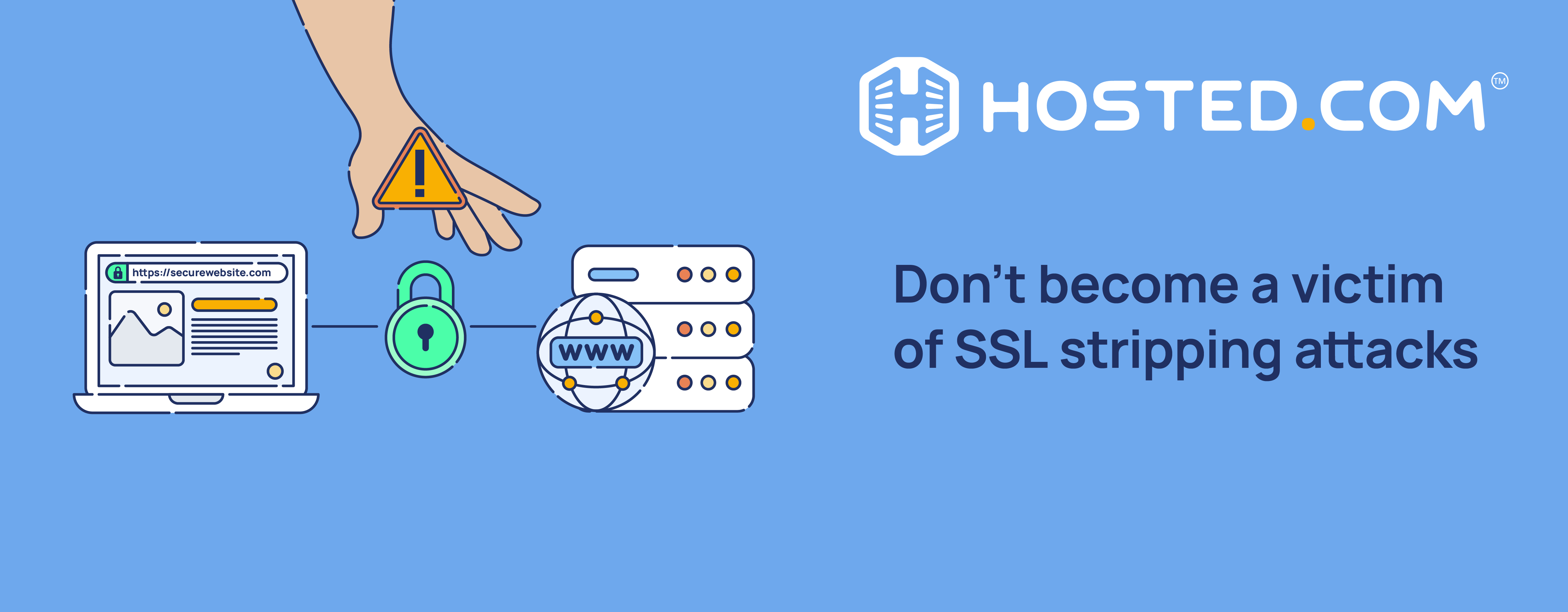
SSL stripping is a cyberattack targeting users by intercepting their secure connection to a website and Web Hosting server. This can compromise confidential information like login credentials, credit card details, and personal data. Here, we explain SSL stripping and the potential consequences of falling victim to an attack. We’ll also show you how to avoid them and protect yourself, your website, and your visitors.
Table of Contents
What Is An SSL Stripping Attack?
An SSL stripping attack is a cyber threat where a secure HTTPS connection is downgraded to an unsecured HTTP connection. It is a sophisticated type of Man-in-the-Middle attack (MITM) that exploits gaps in the way websites use to implement HTTPS connections.
MITM attacks occur when a hacker positions himself between two devices transferring data between each other. The attacker can then intercept and modify the communication between the devices without their knowledge. This can lead to several consequences, such as data theft, unauthorized access, and security breaches.
Like MITM, SSL stripping is a security issue that allows cybercriminals to intercept and manipulate secure connections between your visitors’ browsers and your web hosting server.
The difference is they work by downgrading HTTPS URLs to HTTP by exploiting the vulnerabilities in SSL (Secure Sockets Layer) encryption protocols. This then leaves sensitive encrypted data open to being stolen and corrupted.

Types of Attack
SSL stripping comes in several forms; each allows an attacker to intercept traffic between the web browser and the server.
DNS Spoofing: The attacker modifies DNS (Domain Name System) records to redirect users to fake, harmful web pages that appear identical to the real ones.
ARP Poisoning: The attacker floods the network with false ARP (Address Resolution Protocol) messages, mapping the user’s IP address, and causing all data intended for the user to be sent to the attacker’s computer MAC address instead.
Fake Wi-Fi Hotspots: Fake Wi-Fi access points with legitimate names are set up, enticing users to connect. Once connected, traffic can be intercepted and manipulated, including downgrading HTTPS to HTTP.
Proxy Server: Hackers can use a proxy to set a user’s browser to send traffic to their server. This means every web request a user makes is first received by the hacker, who can then establish connections based on each request to intercept data.
The Role of SSL Certificates
An SSL certificate is a digital protocol designed to communicate securely over a computer network. Its more modern equivalent, Transport Layer Security or TLS protocol, provides the same basic functionality but with several enhancements, including stronger encryption algorithms and improved key exchange mechanisms. However, the term SSL is still commonly used.
This technology establishes an encrypted connection between your web server and a user’s browser to ensure that all data transferred between the server and web browser remains private and intact.
The main purposes of SSL/TLS certificates are:
- Encryption: To scramble data in transit, preventing unauthorized access.
- Authentication: To verify the identity of the communicating parties.
- Data Integrity: To ensure data hasn’t been tampered with during transmission.
This is done through a process known as an SSL handshake. It works like this:
- A web browser sends a first connection request to a server to establish a secure connection with HTTPS.
- The server responds by sending its SSL certificate, which contains the public key, along with the server’s identity and the certificate’s validity period.
- The browser authenticates the certificate by checking it is valid and has been issued by a trusted Certificate Authority (CA).
- Once these checks are done, the browser generates a random client code, encrypts it with the public key, and sends it back to the server.
- Both then generate session keys, which encrypt and decrypt data during the transfer.
With session keys created and exchanged, the communication between the browser and server is encrypted. This ensures that any data transmitted between the two stays confidential and safe from eavesdropping. This process also ensures that even if the data is intercepted, it can’t be read without the correct keys.
It creates a secure tunnel, protecting sensitive and personal information.
The Mechanics of SSL Stripping
As we’ve discussed, SSL stripping exploits the transition between unencrypted HTTP and encrypted HTTPS connections. By intercepting and modifying network traffic, attackers can effectively “strip” away the SSL encryption to prevent a secure connection from being established.
Here’s how the process works:
- Interception: An attacker positions themselves in the middle of the connection between a user and a web server, often using techniques like ARP spoofing or DNS poisoning through compromised or public Wi-Fi networks.
- Traffic Monitoring: The attacker watches for HTTP requests from a user to a secure website for example https://www.yourwebsite.com.
- Connection Hijacking: When the victim attempts to connect to the secure site, the attacker will intercept this request.
- Modification: The attacker sends a modified request to the server, establishing an HTTPS connection with the legitimate server on behalf of the victim.
- Downgrade: The attacker then relays the server’s response to the victim’s browser but modifies it to HTTP instead of HTTPS. This includes changing all HTTPS links to HTTP.
- Maintaining Position: The attacker continues to intercept traffic, establishing a secure connection with the server while keeping an unsecured connection with the victim.
- Data Capture: With the SSL/TLS protection stripped away, the attacker can now view and potentially modify all sensitive data passing between the victim and the server in plaintext.

Tools Used for SSL Stripping Attacks
Several tools can be used for SSL strip attacks. These include:
- sslstrip: Created by American computer security researcher Moxie Marlinspike, this is the original and most well-known tool for performing SSL stripping attacks. It automates the interception and modification of traffic to downgrade HTTPS connections to HTTP.
- Bettercap & Ettercap: These are powerful, flexible tools for various network attacks, including SSL stripping. While they can be used to downgrade HTTPS connections to HTTP, they are more versatile than others and can be used for other network attacks.
- mitmproxy: An interactive, SSL-capable man-in-the-middle proxy that can be used for debugging, testing, privacy measurements, and pentesting (scaling planned attacks against a site). It can be configured to perform SSL stripping attacks.
- Custom Scripts: Advanced hackers may develop specific web applications or scripts using languages like Python.
Vulnerabilities Exploited by SSL Stripping
SSL stripping takes advantage of various weaknesses in establishing secure web connections, ranging from technical issues and SSL/TSL certificate errors to human error. Understanding the following examples can help you avoid becoming a victim of an attack.
Server Configuration Weaknesses
Web servers that don’t implement HSTS (HTTP Strict Transport Security) are vulnerable, as they don’t force browsers to use HTTPS connections. Similarly, servers that accept HTTP connections before redirecting them to the HTTPS version of the site leave a window for intercepting and modifying traffic.
Mixed content created by websites loading some content over HTTP also creates gaps for attackers, even when the main/landing page is HTTPS.
If a server’s private key is compromised, attackers can create fake SSL/TLS certificates that appear valid to web browsers. This allows them to bypass browser security warnings, as the certificates will be trusted by default.
Vulnerable Network Devices
Routers and network devices with outdated firmware may have known vulnerabilities that attackers can exploit to intercept traffic. Many also come with weak default settings, making them easier targets to use as a base for SSL stripping attacks.
Unencrypted or improperly secured Wi-Fi networks can allow attackers to position themselves for MITM attacks.
Browser Vulnerabilities
Exploiting browser vulnerabilities can allow attackers to bypass certificate validation checks and establish HTTPS connections without proper verification. This can lead to accepting invalid or expired certificates without user warnings. Similarly, exploiting flaws in how some browsers handle SSL certificates can allow for downgrade attacks.
User Behavior
Despite certificate security warnings, some users ignore and click through to potentially malicious sites. This is often because many don’t understand the importance of the padlock icon in a browser’s address bar or don’t check it before entering sensitive information.
Not updating your browser and operating system can mean you don’t get important security patches that could prevent SSL downgrade attacks. Connecting to unsecure public Wi-Fi leaves you open to attacks, as they are generally more susceptible to MITM attacks.
The Risks of SSL Stripping Attacks
SSL stripping attacks pose risks to individuals and businesses, potentially leading to severe consequences.
Usernames and passwords for accounts can be stolen, compromising those services if the victim reuses passwords. Attackers can steal sensitive personal data such as names, physical addresses, and social security numbers, leading to identity theft.
Credit card numbers, online banking details, and other financial information can be intercepted, potentially resulting in fraud, unauthorized transactions, or the emptying of bank accounts.
Businesses may face additional financial damage due to legal fees from lawsuits and fines for not protecting customer data. This can also cause severe reputational damage, leading to customers losing trust and income being reduced.
The information gained through SSL stripping can be used to launch more targeted attacks, like phishing campaigns through your email address.
Detection & Prevention Measures
Detecting and preventing SSL stripping attacks is essential to maintaining your website and user data security.
Detection
Browser warnings or errors related to SSL encryption often indicate potential issues, such as your certificate needs to be renewed or is invalid.
Monitor network traffic for signs of HTTPS connections being stripped such as unusual patterns and ensure web browsers are verifying SSL certificates and rejecting invalid or untrusted ones.
If you have access, check server logs for signs of stripping attempts, such as repeated failed connections, unexpected traffic, or inconsistencies. Install security software and Intrusion Detection Systems (IDS) that can detect and send alerts for attacks.
![Strip Banner Text - Get a free SSL Certificate with Hosted.com®’s Web Hosting. [Get started]](https://www.hosted.com/blog/wp-content/uploads/2024/12/ssl-stripping-attack-4-1024x229.png "Get a free SSL Certificate with Hosted.com®’s Web Hosting.")
Prevention
Ensure that the certificate on your website was issued by a trusted CA and is installed and configured correctly on your server to enable SSL encryption.
Implement the HTTPS Everywhere browser extension that automatically redirects HTTP requests to the HTTPS protocol whenever possible. We recommend using a VPN (Virtual Private Network) to encrypt and protect traffic. Keep your operating system, web browser, and other software updated with the latest security patches.
Finally, follow basic browsing security best practices like using strong passwords and being careful when using public internet connections, as these are more vulnerable to HTTPS downgrade attacks.
KEY TAKEAWAYS
- SSL stripping is a man-in-the-middle attack that targets the SSL encryption process, downgrading secure HTTPS connections to unsecured HTTP and exposing sensitive data.
- Using SSL certificates is fundamental to secure online communications, providing encryption, authentication, and integrity for data in transit.
- By exploiting the transition between HTTP and HTTPS, SSL stripping attacks intercept and modify traffic to prevent secure connections from being established.
- Technical vulnerabilities and user behavior contribute to the success of SSL stripping attacks, highlighting the need for a multi-faceted approach to security.
- The security threat posed by SSL stripping attacks can result in data breaches and financial losses for users and businesses.
- Knowing how to detect and prevent SSL stripping attacks helps keep your website and user data safe.
FAQs
What is an SSL stripping attack?
An SSL stripping attack is a man-in-the-middle attack where the attacker intercepts and modifies network traffic to prevent a secure HTTPS connection from being established, forcing the victim to use an unsecured HTTP connection instead.
Is SSL stripping a downgrade attack?
Yes, SSL stripping is considered a downgrade attack. It forces the connection to downgrade from a secure HTTPS protocol to an unsecured HTTP protocol, thereby removing the encryption and security benefits of SSL/TLS.
What are the best ways to detect SSL stripping attacks?
The best ways to detect these attacks include monitoring network traffic and server logs for unexpected HTTP connections, using browser extensions that force HTTPS, and using an IDS to detect stripping patterns.
What is the SSL termination process?
SSL termination involves decrypting SSL/TLS encrypted traffic at a network device (like a load balancer or reverse proxy) before it is forwarded to the server. This allows the server to receive unencrypted traffic, reducing its processing load while maintaining encryption.
How does HSTS prevent SSL stripping attacks?
HSTS (HTTP Strict Transport Security) prevents SSL stripping by forcing browsers to use HTTPS connections. It sends a special response header that tells the browser never to connect to the website using HTTP; this effectively prevents an attacker from downgrading the connection.
What’s the difference between SSL stripping and SSL hijacking?
SSL stripping downgrades an HTTPS connection to HTTP, removing encryption entirely. SSL hijacking involves intercepting and decrypting data using a forged or compromised SSL certificate while maintaining the appearance of a secure connection.
Other Blogs Of Interest
– How to Get a Free Domain Name and a Free SSL Certificate
– Choose a Security Focused Hosting Plan
– Understanding The Key Difference Between HTTP And HTTPS
– Web Hosting Security – Top 11 Best Practices
– Risks And Realities Of Unsecure Websites
- About the Author
- Latest Posts

Rhett isn’t just a writer at Hosted.com – he’s our resident WordPress content guru. With over 7 years of experience as a content writer, with a background in copywriting, journalism, research, and SEO, and a passion for websites.
Rhett authors informative blogs, articles, and Knowledgebase guides that simplify the complexities of WordPress, website builders, domains, and cPanel hosting. Rhett’s clear explanations and practical tips provide valuable resources for anyone wanting to own and build a website. Just don’t ask him about coding before he’s had coffee.